This information is for educational purposes. Keyboard work involves small parts, soldering irons, and electronics — work in a ventilated space when soldering, unplug boards before opening them, and modding a board may void its warranty. When in doubt, check the manufacturer's documentation first.
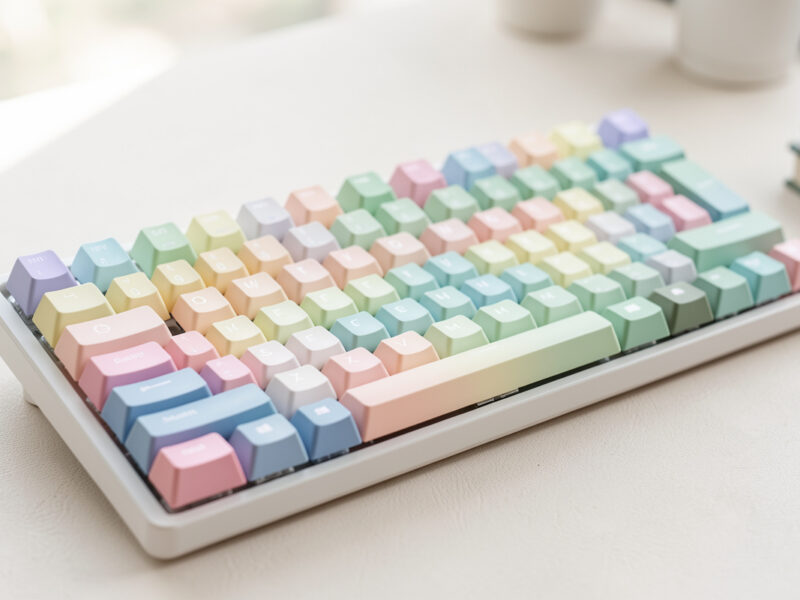
A keycap guide that actually helps comes down to two decisions: profile (the shape) and material (the plastic). Get those right and everything else is taste. A $40 in-stock PBT set covers most people for life, while the premium group-buy sets cost two to four times that and do not type better — only different. The single biggest sound and feel change you can make to a board you already own is a keycap swap, and unlike a switch swap it touches every finger on every keystroke. I have a drawer that started as one set and became a tax audit, so I will save you a few of the purchases I regret.
This is the map for the whole cluster. Profiles change where your fingertip lands and how tall the board sits; materials change the texture under your skin and whether the legends survive a year of use. I will walk both, then point you to the deep dives where each decision gets its own honest verdict — from the SA-vs-OEM-vs-Cherry shootout to whether GMK is worth the group-buy wait.
Profile vs Material: The Two Decisions That Matter
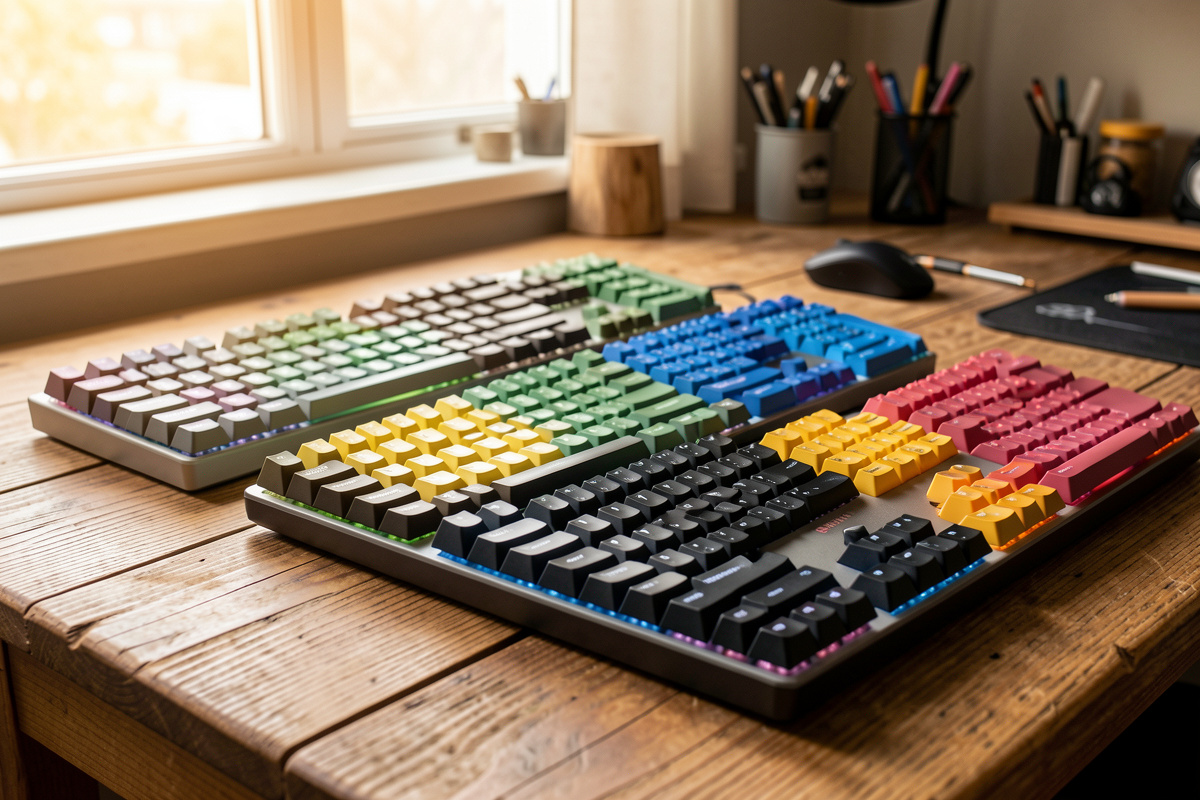
Every keycap argument online collapses into one of two questions, and people constantly mix them up. Profile is the physical shape and height of the cap — sculpted or uniform, tall or low. Material is the plastic and how the legend is applied. A set can be a tall sculpted profile in cheap plastic, or a flat uniform profile in premium PBT; the two axes are independent, and you choose on both.
I learned this the expensive way. My first “upgrade” set looked gorgeous in photos and felt worse than my stock caps, because I bought for colorway and ignored that I had picked a profile my fingers hated. On my daily driver now I run PBT Cherry-profile dailies, and the reason is boring: the shape suits how I type and the plastic does not go shiny. Decide the shape first, then the plastic, then the colors — in that order, every time.
The reason this order matters is that the two axes are not equally reversible in how they affect you. A colorway you tire of is a cosmetic regret; a profile that fights your hands is a daily annoyance you feel on every keystroke for as long as you own the set. I have sold on three sets in my time and every one of them was a profile or material mistake, never a color mistake. Photographs flatter every keycap ever made, which is exactly why they are the worst basis for the decision. Read the shape and plastic specs, then look at the picture last, with the volume turned down on your own enthusiasm.
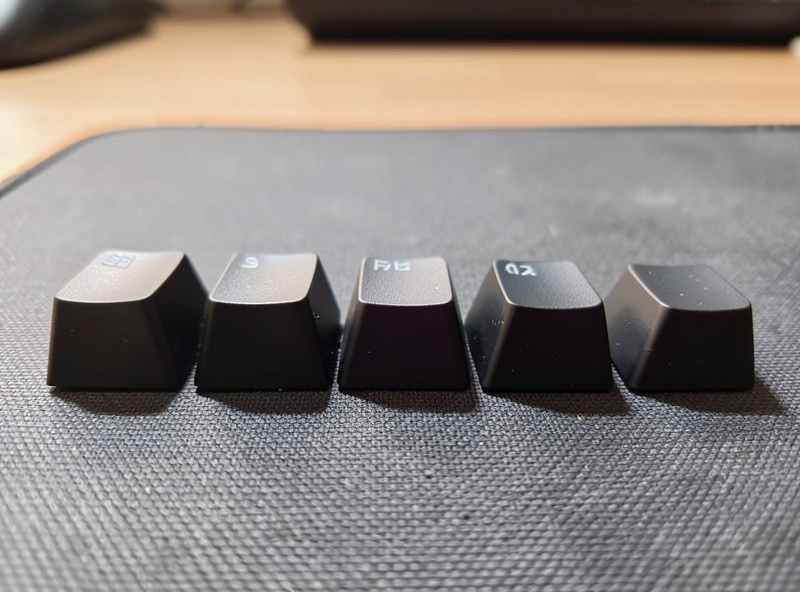
Keycap Profiles, From Tall to Flat
Profiles sort into two families: sculpted (each row is a different height and angle, so your fingers settle into a scooped landscape) and uniform (every row is identical, a flat field). Sculpted feels guided and familiar; uniform feels minimal and forces your hands to learn the board rather than the board guiding your hands. There is no winner here, only a fit.
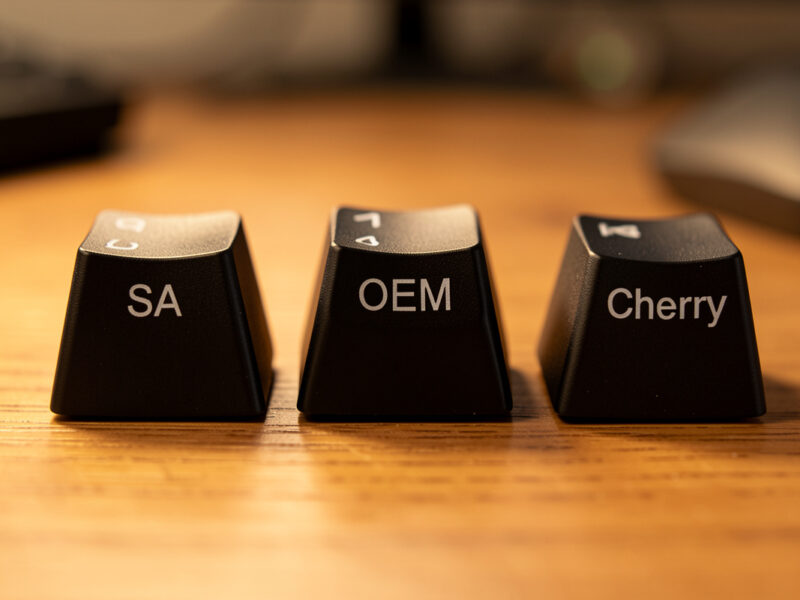
The names you will see most: OEM (the tall sculpted shape on most stock boards), Cherry (a shorter sculpted profile, the hobby default), SA (very tall, heavily sculpted, retro and loud), DSA and XDA (flat uniform), and MT3 (deep-dished sculpted). My honest take after weeks of typing on each: Cherry is the safe daily, SA is a vibe you commit to, and uniform profiles are a love-it-or-return-it proposition you should try before you commit a $100 set to.
| Profile | Family | Height | Sound character | Best for |
|---|---|---|---|---|
| OEM | Sculpted | Tall | Higher, slightly hollow | Stock-board familiarity |
| Cherry | Sculpted | Medium | Lower, rounded | The default daily driver |
| SA | Sculpted | Very tall | Deep, resonant, loud | Retro typewriter feel |
| MT3 | Sculpted | Tall, deep dish | Thocky, enclosed | Scooped fingertip lovers |
| DSA | Uniform | Low, flat | Clacky, even | Ortho, ergo, minimalists |
| XDA | Uniform | Medium, flat-ish | Even, slightly fuller | Bigger flat keytops |
If you only remember one thing: profile height changes your wrist angle. Going from low Cherry to towering SA is a real ergonomic shift, and people who skip a palm rest after that swap end up blaming the keycaps. The deep dive on SA vs OEM vs Cherry isolates exactly this — same board, same switches, three profiles, recorded the same way.
Materials: PBT vs ABS, and Why Shine Happens
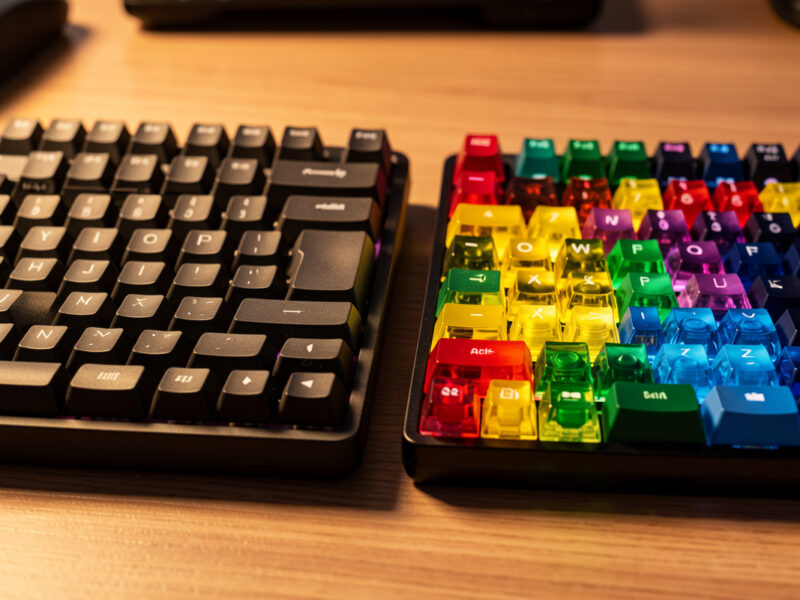
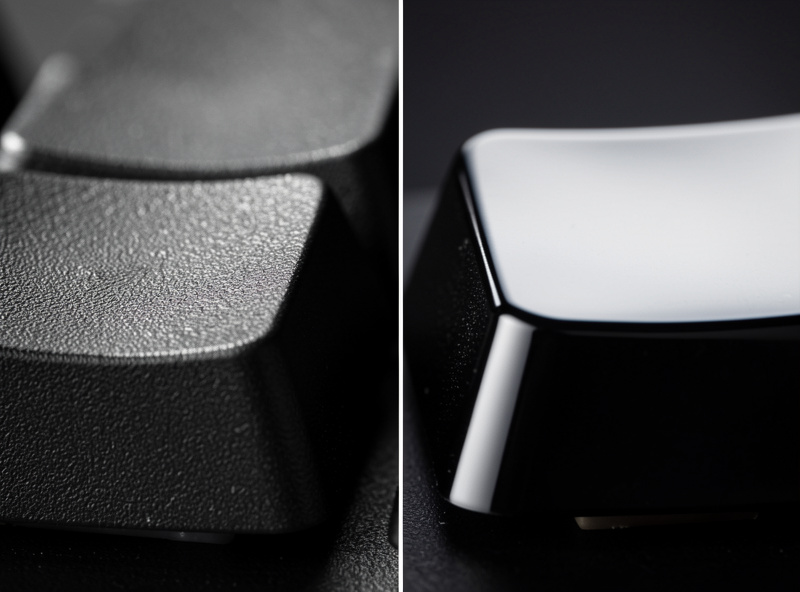
The two plastics that matter are PBT and ABS. PBT is more textured, more heat-resistant, and resists the greasy shine that develops where your fingers rest. ABS is smoother out of the box, takes brighter colors and certain legend methods better, and — this is the honest part — it polishes to a shine on the most-used keys within months. Neither is “better”; they are different trade-offs, and the marketing only ever tells you half of it.
My ABS GMK-class set is genuinely beautiful and my E, A, and spacebar are visibly shinier than the rest of the board after a year. I do not regret it, but I bought it knowing that would happen. My PBT dailies look identical to the day they arrived. If “will this still look new in a year” matters to you, that question alone often settles the PBT vs ABS decision before you even get to sound.
Thickness: The Spec Nobody Lists but Everyone Hears
Keycap wall thickness changes sound more than the plastic type does, and almost no product page prints the number. Thin walls — common on stock and budget sets — ring higher and hollower; thick walls, typically 1.4mm and up on enthusiast sets, deepen the sound and add the “thock” people chase. When I dropped a thick doubleshot set onto the same board that wore thin stock caps, the difference on my sound rig was bigger than the difference between two switch types.
This is why a cheap board can sound expensive with a keycap swap, and an expensive board can sound cheap with the wrong caps. Thickness is also why two PBT sets at the same price can sound nothing alike. If a listing does not state wall thickness, assume it is thin; the sets that are proud of it always say so. On my daily I weigh sound as much as feel, and thickness is the lever I reach for first after stabilizers.
Sound: What Profile and Material Actually Do to Your Ears
People credit switches for keyboard sound, but the keycap is the speaker cone. Tall profiles like SA have more internal air volume and resonate deeper and louder; flat profiles like DSA sit closer to the plate and read brighter and clackier. Material layers on top: PBT tends to sound a touch deeper and drier, ABS a touch sharper and more present. None of this is subtle once you hear the same board capped three ways.
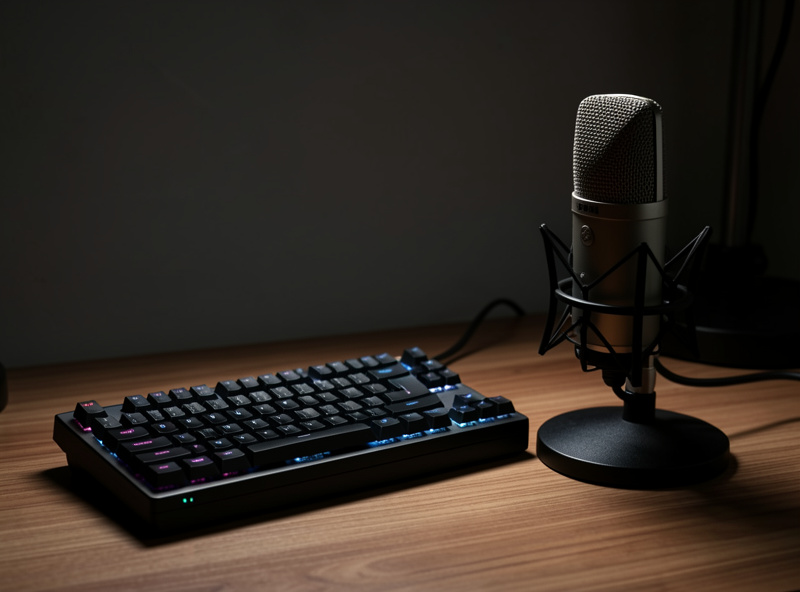
There is a cheap experiment that proves all of this in an afternoon: cap the same board with a thin stock set, record ten seconds, then swap to a thick doubleshot set and record again without moving the mic. On my rig the thick set dropped the pitch and killed most of the hollow ring — a bigger swing than I get switching from a linear to a tactile. I have run that A/B on four boards now and the result holds every time, which is why I trust caps over switches as the first lever for sound. My standing complaint about this hobby is sound tests recorded on phone mics in different rooms — they have lied to more buyers than any spec sheet. When I compare caps I use the same mic, the same distance, the same desk, every time, because the only honest keycap sound test isolates the one variable you changed. Treat any clip you cannot verify as decoration, not data, and trust your own ears on your own board over a stranger’s recording.
Legends: How the Letters Get On (and Stay On)
The legend — the letter or symbol on the cap — is applied by one of several methods, and the method decides durability far more than the plastic does. Doubleshot molds the legend from a second piece of plastic, so it physically cannot wear off; dye-sublimation dyes the legend into the surface, durable and flush; pad printing sits on top and wears away fastest. Then there are laser-etched and shine-through legends for backlit boards.
This is where a lot of “my keycaps wore out” complaints come from — not bad plastic, but pad-printed legends on a budget set. If you want letters that outlive the board, doubleshot or dye-sub are the answers, and the trade-offs between them get their own breakdown in the legend printing methods comparison. If you run a backlit board, whether the legends actually light up is a separate compatibility question covered in the shine-through compatibility guide.
The Hype Tier: Group Buys, GMK, and Premium Sets
At the top of the market sit the sets people wait months and pay premiums for — GMK being the headline name. A premium set buys you specific things: thick doubleshot ABS, a curated colorway, a deep kit that covers exotic layouts, and resale value. What it does not buy you is a fundamentally better typing experience than a good $40 PBT set. That is the part the FOMO never mentions.
I own one and I would buy it again for the right board, but I tell every first-timer the same thing: skip the group buy for now. Buy an in-stock PBT set, learn what profile and material you actually like, and then — if you still want it — wait for the hype set with eyes open. The full case is in the GMK hype guide.
One thing the premium tier genuinely buys that a $40 set never will is resale value: a desirable colorway holds most of its price and a rare one occasionally beats it, so an expensive set you tire of is closer to a loan than a loss. I have recouped most of what I paid on two sets I rotated out, which quietly changes the math on the “is it worth it” question — the premium is partly refundable if you buy something people want and keep the box and extras. That is the only honest financial argument for the hype tier, and it is a real one.The group-buy model itself is worth understanding before you commit money to a render. You pay up front, then wait — often months, sometimes the better part of a year — for a set that is manufactured to order and shipped in a wave. Timelines slip, and the set you fell for in a mockup can land looking subtly different from the render. None of that makes group buys a scam; it makes them a patience tax that the hobby normalizes and the FOMO hides. I treat every group buy the way I treat any long-lead order: assume it ships late, assume the in-stock alternative covers me in the meantime, and only join the ones I would still want if the wait doubled. That filter has saved me more money than any single mod.
The Uniform-Profile Reality Check
Flat uniform profiles like DSA get romanticized as clean and modern, and they are — but they also change your typing more than any other swap. With no row sculpting, your fingers lose the physical cue that tells them which row they are on, and accuracy drops for a week or two while you adapt. Some people adapt and never look back; some hate it and quietly return to Cherry.
I keep a DSA set in the drawer and rotate it onto an ortho board where flat actually makes sense, but I would never put it on someone’s first daily. The honest, non-aesthetic version of this trade-off is in the DSA honest take — including who it genuinely suits and who is buying a typo machine.
Mixing Profiles and Buying Smart
Once you have a few sets, the temptation is to mix — Cherry alphas with an SA spacebar, a novelty escape from another set. Mixing profiles works when the heights are compatible and fails loudly when they are not, both visually and ergonomically. There is a right way to do it and a way that leaves you with a key your finger trips on every time. The rules are in the mixing profiles guide.
For most readers, here is the boring-but-correct path: one in-stock PBT Cherry or OEM set in a colorway you like, doubleshot or dye-sub legends, on a board with tuned stabilizers. That covers 90% of people for under $50. Everything fancier is a hobby decision, not an upgrade. As an Amazon Associate I earn from qualifying purchases. A solid PBT Cherry-profile set is the safest first buy, and a budget wire keycap puller saves your caps from scratches during the swap.
Compatibility: Kits, Bottom Rows, and the Traps
The single most common keycap mistake is buying a set that will not fully cover your board’s bottom row. Most sets assume a standard bottom row — a 6.25u spacebar and 1.25u modifiers — but plenty of 65%, 75%, and ergo boards use non-standard sizes. A gorgeous set arrives and your right-shift or function keys are the wrong width, leaving gaps. The fix is checking your board’s bottom-row layout before you buy, not after.
This is what “kits” solve: bigger sets ship with extra spacebars, novelty modifiers, and ISO or ortho support so one set covers many boards. Budget in-stock sets often skip these, which is fine for a standard TKL or full-size but a problem for anything spicier. I keep a note of each board’s bottom row taped inside my parts drawer, because I have ordered the wrong spacebar twice and would rather not make it three. When in doubt, count your unusual keys and match the kit, not the photo.
| Board layout | Bottom-row risk | What to check | Kit needed? |
|---|---|---|---|
| Full-size / TKL | Low | Standard 6.25u spacebar | Base set usually fine |
| 65% / 75% | Medium | Modifier widths, arrow cluster | Often needs extras |
| Alice / ergo | High | Split spacebar, wide mods | Yes, dedicated kit |
| Ortho | High | All 1u uniform caps | Yes, uniform profile |
Stems and Mounts: The Compatibility Most Guides Skip
Almost every modern set uses Cherry MX-style cross stems, but a handful of switches break that assumption and the mismatch is invisible until the cap will not seat. Box switches with a wider rectangular shroud, optical switches with non-standard stems, and a few low-profile systems all reject standard caps. If your board ran fine on its stock caps but a new set refuses to clip down, the stem — not the set — is usually the culprit.
I keep this filed under “check before you click buy,” because I have been burned by it on a low-profile experiment that looked compatible in every photo and was not. The fix is one line of homework: confirm your switches are MX-style cross stem before you order, and if you run anything exotic, buy a small sample or a known-compatible set first. On standard hotswap or soldered MX boards this is a non-issue, which is exactly why most people never hear about it until the one time it bites them. Compatibility on a keyboard is never one question — it is stem, bottom row, and profile height stacked, and any one of the three can sink a $100 set.
How to Choose, in Order
Work the decision top to bottom and you will not waste money. First, profile — sculpted (Cherry/OEM) if you want familiar and safe, uniform (DSA/XDA) only if you specifically want flat and minimal. Second, material — PBT if you want it to look new in a year, ABS if a specific premium colorway is the whole point. Third, legends — doubleshot or dye-sub for durability, shine-through only if your board is backlit and you care. Last, colorway. Decide in that order and the set you buy will still please you in twelve months, not just twelve days. And if you only do one thing before checkout, confirm your board’s bottom row matches the kit — that single check prevents the most expensive keycap mistake there is.
Frequently Asked Questions
What keycap profile is best for beginners?
Cherry profile is the safest beginner choice. It is a short sculpted shape close to what most stock boards use, so your fingers adapt instantly, and it is the most widely available profile in affordable PBT sets. OEM is the next-safest if you want something slightly taller and more familiar.
Is PBT actually better than ABS for keycaps?
PBT resists the greasy shine that ABS develops on high-use keys within months, and it is more textured and heat-resistant. ABS takes brighter colors and certain legend methods better and feels smoother new. Neither is universally better; PBT wins on longevity, ABS wins on premium colorways.
Will my keycaps fit any keyboard?
Most modern keyboards use Cherry MX-style stems, so standard sets fit them. The real compatibility traps are non-standard bottom-row sizes, split spacebars, and ergo or ortho layouts, where you may need a set with extra kits. Always check your board’s bottom-row layout before buying.
Why do some keycaps get shiny over time?
Shine is the smoother ABS plastic polishing where your fingers rest most, usually within a few months on keys like E, A, and the spacebar. PBT resists it far longer because of its rougher surface. The legend printing method does not cause shine; the plastic does.
Do I need shine-through keycaps?
Only if your board has per-key backlighting and you actually want to see the legends lit. Shine-through legends use translucent plastic so light passes through, but they are usually ABS and a narrower style selection. If your board is not backlit, they offer no benefit.
How much should I spend on my first keycap set?
A good in-stock PBT Cherry-profile set runs roughly 30 to 50 dollars and covers most people completely. Skip the premium group-buy sets until you know which profile and material you actually prefer; they cost two to four times more and do not type better, only look different.