This information is for educational purposes. Keyboard work involves small parts, soldering irons, and electronics — work in a ventilated space when soldering, unplug boards before opening them, and modding a board may void its warranty. When in doubt, check the manufacturer's documentation first.
For a first custom keyboard, choose a 65% if you want the most compact board that still keeps dedicated arrow keys, and a 75% if you want a function row and don’t mind a board about one key-column wider. A 65% drops the F-row to a layer; a 75% keeps it. Both are excellent daily layouts — this is a preference call, not a right-or-wrong one.
I own and type on both, and I’ll save you the suspense: I reach for the 75% for work and the 65% when desk space is tight, and neither has ever felt like a mistake. The real decision is whether you use the function row often enough to give up a little desk space for it. Here’s how to know which side of that line you’re on before you buy.
What’s the Difference Between 65% and 75%?
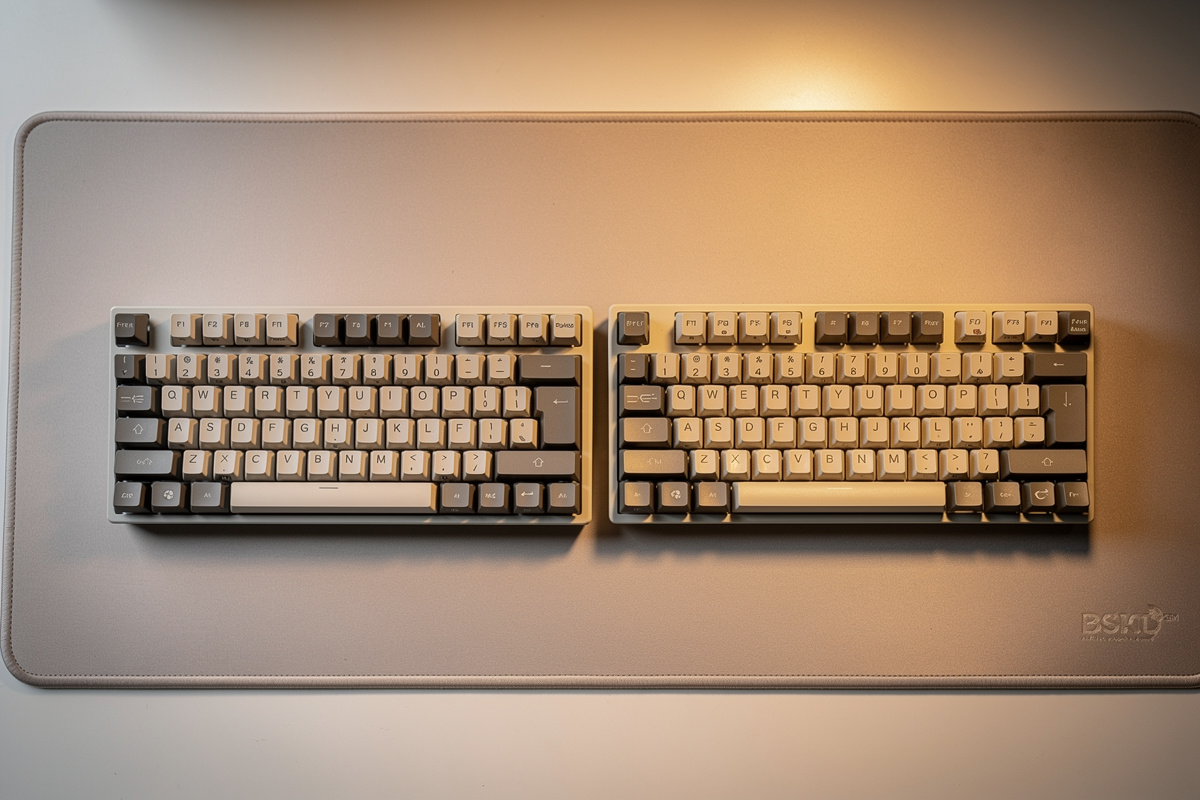
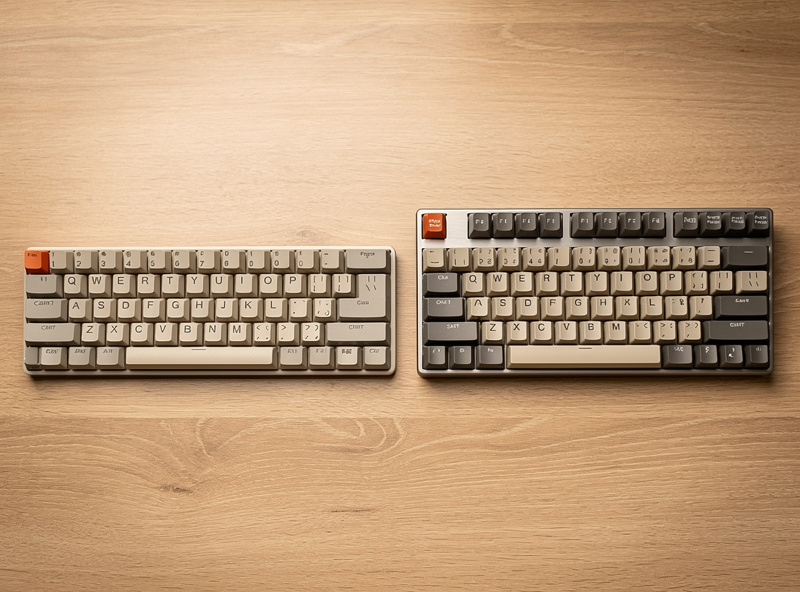
A 65% layout is roughly 68 keys: the main alphas, a column of navigation keys, and dedicated arrows, but no function row — F1 through F12 live on a layer you access with a Fn key. A 75% adds that function row back as a top row, landing around 82-84 keys in a frame only slightly wider. Both keep arrows, which is the dividing line from a 60%.
The practical upshot is that a 75% looks almost like a TKL squeezed together, with the function keys right where your muscle memory expects them, while a 65% trades that row for a smaller footprint and a cleaner look. If you’ve only ever used a full-size or TKL board, the 75% will feel more immediately familiar. The 65% asks you to learn one new habit — Fn-plus-a-number for F-keys — in exchange for the smallest board that still has arrows.
Do You Actually Use the Function Row?
This is the whole decision. If you hit F-keys constantly — F2 to rename, F5 to refresh, F11 for fullscreen, or the F-row in spreadsheets, IDEs, or games — get a 75% so they stay one press away. If you rarely touch them, a 65% loses nothing you’ll miss and saves desk space.
Be honest with yourself here rather than aspirational. A lot of people think they need the function row and then realize they used it twice a week, and a lot of others swear they don’t and then hit a wall in their IDE on day two. My test: spend a normal work day noticing every time your hand goes for an F-key. If it’s more than a handful, the 75% is worth the extra width. If you barely register them, the 65% is the more elegant board for the same money. The keys you actually use should drive the layout, not the photos that look cool.
65% vs 75%: Side-by-Side Comparison
Both layouts keep arrows, both come in great hotswap barebones kits at similar prices, and both are forgiving first boards. The differences come down to the function row, footprint, and how familiar the board feels on day one.
| Feature | 65% | 75% |
|---|---|---|
| Approx. key count | ~68 keys | ~82-84 keys |
| Function row | On a layer (Fn) | Dedicated top row |
| Arrow keys | Yes, dedicated | Yes, dedicated |
| Footprint | Smallest with arrows | Slightly wider |
| Day-one familiarity | One new habit to learn | More immediate |
| Best for | Minimal desks, clean look | F-row users, work boards |
Which Is Easier to Learn for a First Build?
The 75% is marginally easier to adapt to because nothing moves to a layer — every key you’re used to is still a physical key. The 65% adds exactly one habit: reaching for Fn to hit a function key. Most people absorb that in two or three days, so it’s a small cost, not a barrier.
Where the 65% can trip a beginner is if the board ships with an awkward stock layout for the keys around the arrows — sometimes the right Shift gets shortened or a key lands somewhere odd. The fix is VIA: remap anything that annoys you in five minutes. Both layouts assume you’ll do a little remapping to make them yours, and learning VIA on your first board is a feature, not a chore — the same hands-on instinct that later has you deciding between screw-in and plate-mount stabilizers. Either way, neither layout is hard; the 65% just front-loads a touch more adjustment.

Does Price or Switch Choice Change With Size?
Barely. A 65% and a 75% hotswap barebones board land in roughly the same $60-100 range, and your switch and keycap costs are nearly identical — a 65% needs about 68 switches, a 75% about 82-84, so the 75% costs a few extra dollars in switches from a 90-pack you’d buy anyway. Size is not where the money lives.
Keycap compatibility is the one footnote worth knowing: both layouts use standard key sizes for the alphas, but the bottom row and the keys around the arrows occasionally use non-standard widths on specific boards, which can leave a gap or two when you fit an aftermarket cap set. It’s rarely a dealbreaker on a first board with a stock-ish set, but it’s the reason I tell beginners to buy a keycap set with plenty of extra modifier keys included. The switches themselves don’t care about layout at all — pick the feel you want and it works the same on either size.
My Honest Take After Owning Both
If I had to hand a first-time builder exactly one, I’d give most people a 75%. It’s the layout that fights you least on day one, keeps every key where you expect it, and still feels compact next to a full-size board. The 65% is the one I love for aesthetics and a tight desk, but it asks slightly more of a beginner.
That said, the difference is small enough that you should buy whichever board you find as a good hotswap barebones kit at the right price, in the format that matches how you work — whether that’s a 65% hotswap board or a 75% hotswap board. I’ve never regretted owning either, and because both are hotswap, the switches and feel — the parts you’ll actually obsess over — are identical decisions regardless of which size you pick. Choose the layout for your hands and your desk, then spend your real energy on the switches — and on the first tune almost every new board needs, the stabilizers.
Frequently Asked Questions
Is a 65% or 75% keyboard better for a first build?
Both are excellent first boards. Choose 75% if you use the function row often and want every key familiar on day one. Choose 65% if you want the most compact board that still keeps dedicated arrow keys.
What is the difference between 65% and 75% keyboards?
A 65% is around 68 keys with arrows but no function row (F-keys live on a layer). A 75% adds a dedicated function row at about 82-84 keys in a only slightly wider frame. Both keep dedicated arrow keys.
Does a 65% keyboard have a function row?
Not as dedicated keys. On a 65% the F1-F12 keys are accessed through a layer using the Fn key. If you use F-keys constantly, a 75% with a physical function row is the more comfortable choice.
Is a 75% keyboard hard to get used to?
No. A 75% keeps every key as a physical key, so it is very close to a TKL or full-size layout minus the numpad. It is the easier of the two to adapt to on a first build.
Can I remap keys on a 65% or 75% keyboard?
Yes, if the board supports VIA or QMK, which most hotswap boards do. You can remap any awkward stock key in about five minutes. Learning VIA on your first board makes either layout fit your habits.
As an Amazon Associate I earn from qualifying purchases.