This information is for educational purposes. Keyboard work involves small parts, soldering irons, and electronics — work in a ventilated space when soldering, unplug boards before opening them, and modding a board may void its warranty. When in doubt, check the manufacturer's documentation first.
Here’s an honest review of wireless keyboard latency, free of the marketing: over a good 2.4GHz dongle at 1000Hz, the radio adds under a millisecond and you cannot feel it; over Bluetooth it adds roughly 8–11ms and you might, in fast games. But the radio is a small slice of your total input lag — switch debounce, firmware scan rate, your monitor, and the game engine usually matter more. “Wireless is now as fast as wired” is true for 2.4GHz and false for Bluetooth, and the whole-system picture is what actually decides how responsive your board feels.
I’ll say up front what most reviews won’t: for the overwhelming majority of people, latency should not influence your purchase at all. If you write, code, or play casually, every modern wireless board is fast enough that the radio is invisible. This piece is for the people who think they need low latency — so they can decide whether they actually do. It sits under the broader wireless mechanical keyboard guide.
Where input lag actually comes from
Total latency from keypress to on-screen reaction is a chain, and the radio is one link. The switch has to actuate, the firmware has to debounce and register it (the scan rate and debounce algorithm), the radio has to transmit, the OS and application have to process it, and the monitor has to draw the frame. Add it up and the radio — even Bluetooth’s ~10ms — is often smaller than the monitor’s contribution at a low refresh rate, or a sloppy debounce setting.
This is why obsessing over the radio alone is a mistake. A 2.4GHz board with a 1000Hz poll but a lazy 20ms debounce is slower than a tight board on Bluetooth. The poll rate is the number vendors shout about because it’s easy to print; the debounce and scan rate, which you rarely see advertised, often matter more. Judge the whole chain, not one link.
2.4GHz latency: genuinely wired-class
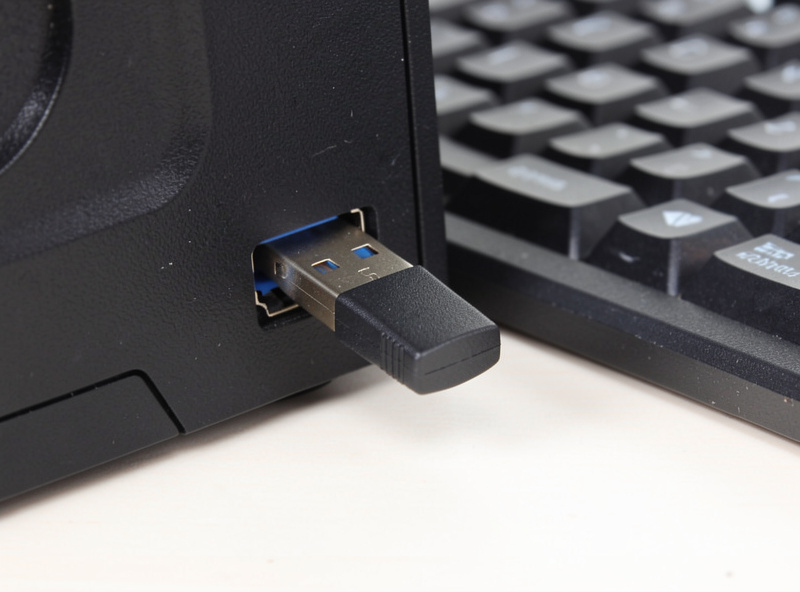
A quality 2.4GHz link polling at 1000Hz reports every millisecond — the same interval as most wired keyboards. The radio’s own added delay is a fraction of a millisecond, well below human perception. In practice, a good 2.4GHz wireless board is indistinguishable from wired for input timing, and that’s not marketing, it’s just how a 1ms interval works. If you want low latency wireless, this is the answer, and it’s why every gaming-focused wireless board ships a dongle.
The caveats are placement and quality. A dongle buried in a shrouded rear USB port, far from the board, can drop polls; plug it into a front port or a short extension near the keyboard. And not all “2.4GHz” is 1000Hz — some budget implementations poll lower, so check the spec. Done right, though, 2.4GHz removes the radio as a variable entirely.
Bluetooth latency: fine for typing, not for twitch
Bluetooth keyboards typically report at 90–125Hz, an interval around 8–11ms, and the protocol can introduce additional variability under radio congestion. For typing, browsing, and office work this is completely invisible — your fingers move far slower than 10ms. For competitive shooters or rhythm games, it’s a real handicap versus 2.4GHz, and you may feel it as a slight disconnection between press and response.
The honest framing: Bluetooth latency is a non-issue for the use it’s designed for (convenience, multi-device) and a poor choice for the use it isn’t (twitch gaming). That’s not a flaw, it’s a different tool — which is exactly the point of the Bluetooth vs 2.4GHz comparison. Use Bluetooth for the laptop and the couch; use the dongle when reaction time matters.
The latency chain at a glance
| Source | Typical contribution | Can you control it? |
|---|---|---|
| Switch actuation | Sub-ms to a few ms | Switch choice, actuation point |
| Firmware debounce/scan | ~1–20ms | Firmware settings, board quality |
| 2.4GHz radio | ~1ms | Use the dongle, place it well |
| Bluetooth radio | ~8–11ms | Switch to 2.4GHz if it matters |
| Monitor refresh | ~3–16ms | Higher refresh rate |
Look at that chain and the lesson is obvious: if you care about latency, a high-refresh monitor and tight firmware do more than fretting over the radio. The radio is one controllable link among several.
Do you actually need low latency?
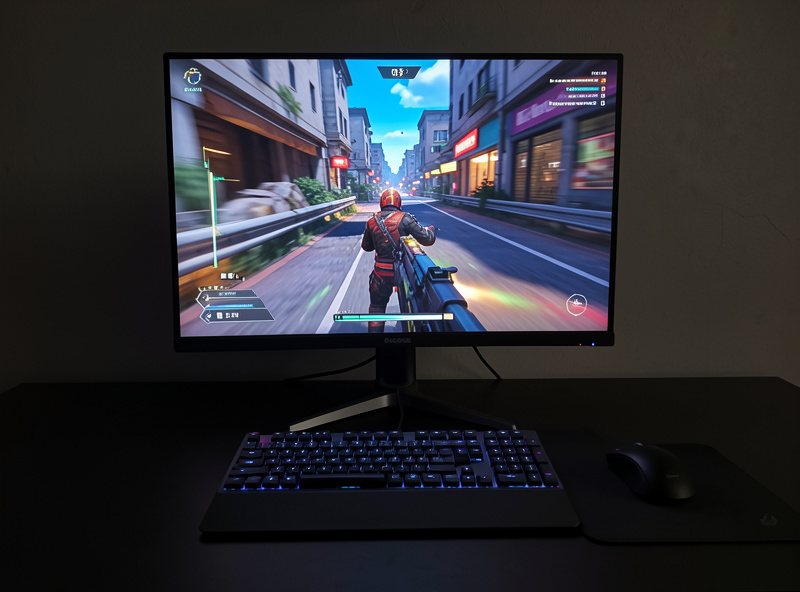
Be honest about your use. If your fastest activity is typing, the answer is no — any modern wireless board, even on Bluetooth, is faster than your hands. If you play competitive games where reaction time decides outcomes, then yes, use a 2.4GHz board at 1000Hz and don’t compromise. The mistake is the middle: paying a premium for a high poll rate, then running the board on Bluetooth for convenience and never using the speed you bought.
And none of this touches how the board feels to type on, which is the thing you’ll actually notice every day — that’s switches, stabilizers, and mounting, not the radio. Spend your latency budget where it helps (the dongle, the monitor) and your real effort on tuning and switch choice. For role-based picks, the best wireless keyboards 2026 roundup flags which boards prioritize the low-latency link.
A note on “8K polling” wireless claims
You’ll increasingly see wireless boards advertising 4000Hz or 8000Hz polling. Be skeptical about what that buys you. Going from 125Hz to 1000Hz is a real, meaningful drop in interval (8ms to 1ms); going from 1000Hz to 8000Hz shaves the interval from 1ms to about 0.125ms — a difference no human nervous system resolves, and one that’s swamped by your monitor and the game engine anyway. It also drains the battery faster for no felt benefit.
For a tiny minority of elite competitive players on very high-refresh monitors, ultra-high poll rates have a theoretical edge. For everyone else they’re a spec-sheet number, not an experience. If a board offers it, fine — but don’t pay a premium or sacrifice battery for a poll rate beyond 1000Hz unless you genuinely compete at a level where it could matter, and even then, test it before believing it.
Frequently Asked Questions
Is wireless keyboard latency actually noticeable?
Not while typing — your hands are far slower than any modern radio. Over 2.4GHz at 1000Hz the radio adds under a millisecond, invisible to anyone. Over Bluetooth’s roughly 8 to 11ms, you may notice it only in fast competitive games.
Is a 2.4GHz wireless keyboard as fast as wired?
For input timing, yes. A quality 2.4GHz link polling at 1000Hz reports every millisecond, the same as most wired keyboards, and the radio’s own delay is a fraction of a millisecond. Place the dongle near the board for the steadiest connection.
Does a higher poll rate mean lower latency?
Partly. A 1000Hz poll caps the reporting interval at 1ms, but total latency also includes switch debounce, firmware scan rate, and your monitor. A high poll rate on a board with sloppy debounce can still feel slow, so judge the whole chain.
Why does my wireless keyboard feel laggy?
It’s usually not the radio. Check whether you’re on Bluetooth when you could use the 2.4GHz dongle, whether the dongle is buried in a far USB port, and your monitor’s refresh rate. Firmware debounce settings and a low-refresh monitor cause more felt lag than a good radio.
Should latency decide which wireless keyboard I buy?
Only if you game competitively. For typing, coding, and casual play, every modern wireless board is faster than your hands, so prioritize layout, typing feel, and battery instead. If you do need speed, buy a 2.4GHz board at 1000Hz and actually use the dongle.