This information is for educational purposes. Keyboard work involves small parts, soldering irons, and electronics — work in a ventilated space when soldering, unplug boards before opening them, and modding a board may void its warranty. When in doubt, check the manufacturer's documentation first.
Clacky and thocky are the two words the keyboard hobby argues about most, and they describe pitch more than anything else. A clacky board is bright and higher-pitched with a sharp top-out; a thocky board is deep and lower-pitched with a rounded bottom-out. Neither is “better” — and crucially, you do not buy one by picking a single switch. The whole build pushes a board toward one end of that spectrum.
I have recorded both ends on the same desk with the same mic for years, and the most useful thing I can tell you is that these are not categories you choose from a menu. They are the audible result of a stack of decisions, and once you can hear which decisions push which way, you stop buying parts blind. Here is how to actually tell them apart and how to steer a board toward the sound you want.
What “Clacky” Actually Sounds Like
Clacky is the bright, sharp, higher-pitched sound — more treble, more attack, more of the plastic-on-plastic top-out coming through. It is the sound of a stiffer build with less dampening: a firm plate, a harder or thinner keycap, an emptier case, and often a longer-pole switch that bottoms out hard and early. To a lot of ears it reads as crisp and energetic; to others it reads as rattly or hollow.
Clacky is not a flaw. A well-built clacky board is tight and snappy, and plenty of builders chase exactly that. The trouble only starts when a board is clacky by accident — hollow because the case rings, sharp because a stabilizer ticks — and the owner thinks that is just how it sounds. That kind of clack is a tuning problem, not a sound profile, and the fixes live in the keyboard sound guide.
What “Thocky” Actually Sounds Like
Thocky is the deep, lower-pitched, rounded sound — less top-end, more body, a fuller bottom-out that lands like a soft knock rather than a sharp tap. It comes from dampening and from softer materials: case and PE foam absorbing the ring, a softer plate like FR4 or polycarbonate, thicker PBT keycaps, and a mount that lets the plate flex a little. It is the sound most people mean when they say a board sounds “premium,” even though premium has nothing to do with it.
The honest catch is that thock is easy to overshoot. Pile on too much foam and the deep, lively thock collapses into a flat, dead thud — quiet but lifeless. The line between thocky and deadened is thinner than the marketing suggests, which is exactly why I broke down the recipe carefully in what makes a keyboard sound deep and thocky.
It Is a Spectrum, Not a Switch You Buy
The single biggest misconception is that “thocky switches” and “clacky switches” are a category you shop for. Switches nudge the sound, but the same switch sounds clacky in a hollow aluminum case and thocky in a foamed, gasket-mounted one. I have run identical linears in both of my boards and the gap is night and day — and the switch never changed. The case, plate, foam, mount, and keycaps did.
So the right mental model is a slider, not a pair of boxes. Every layer either pushes you brighter (clacky) or deeper (thocky), and your job is to point them all the same way. If you want to understand the underlying switch families before you tune, the linear vs tactile vs clicky guide is the place to start, and long-pole switches explain why some switches lean bright no matter the case.
What Pushes a Board Toward Clacky
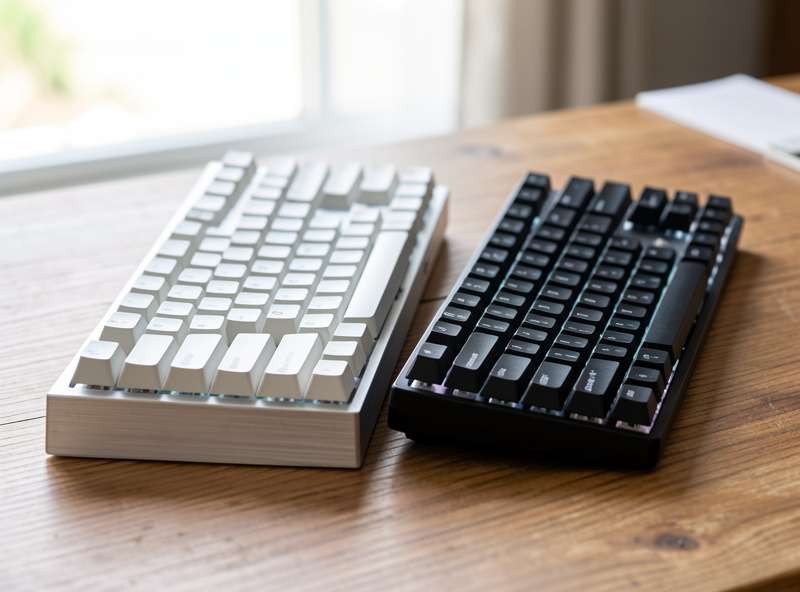
If you want bright and snappy — or want to understand why your board landed there — these are the levers. A stiff plate like brass or aluminum rings brighter. A hard, thin keycap (a lot of thinner ABS sets) adds top-end. An empty or lightly-filled case rings and adds that hollow brightness. Long-pole switches bottom out hard and shift the pitch up. And a firm tray mount transmits more of that sharp top-out than a soft gasket mount.
Stack two or three of those and you have a clacky board. The keycap material question alone is bigger than most people expect — I put it to a long daily test in the PBT vs ABS keycap comparison.
What Pushes a Board Toward Thocky
For deep and rounded, reverse every lever. A softer plate — FR4, POM, or polycarbonate — rounds the sound off. Thicker PBT keycaps add body and mute the top-end. Case foam and PE foam absorb the ring. A gasket mount, especially with silicone, cushions the bottom-out into something deeper, which I covered specifically in silicone gasket mount sound explained. And tuned stabilizers keep the deep sound clean instead of rattly.
The two highest-impact, lowest-cost moves are the plate and the foam, which is why I treat them as the starting point in the plate material comparison and the foam layers guide. You can re-flavor a hotswap board from clacky toward thocky for the price of a foam sheet and an afternoon.
Clacky vs Thocky at a Glance
| Attribute | Clacky | Thocky |
|---|---|---|
| Pitch | Higher, brighter | Lower, deeper |
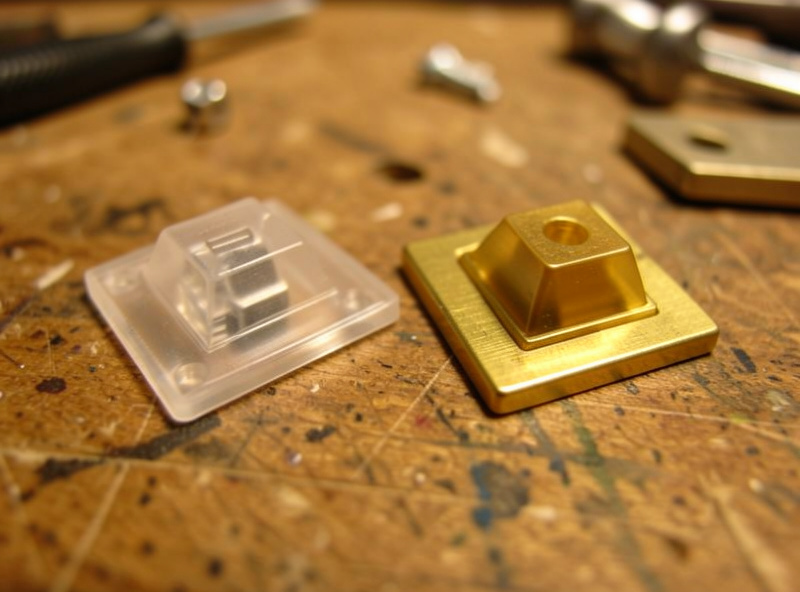
| Plate | Brass, aluminum (stiff) | FR4, POM, polycarbonate (soft) |
| Keycaps | Thin / hard, often ABS | Thick PBT |
| Case fill | Empty or minimal | Foam-dampened |
| Mount | Tray / top mount | Gasket mount |
| Switch lean | Long-pole, harder bottom-out | Standard pole, lubed |
| Risk | Hollow / rattly if untuned | Dead / muffled if over-foamed |
Which One Should You Actually Want?
Neither is correct — it is taste plus context. If you type in a shared space or just like a softer, calmer sound, lean thocky. If you type alone and like a crisp, energetic snap, lean clacky and stop apologizing for it. The mistake is wanting one and accidentally building the other because you only changed the switch. Decide the target, then point the case, plate, foam, mount, and keycaps all the same direction. If you are tuning an existing board, start from the sound guide’s order of operations rather than buying a new switch set.
How to Hear the Difference Yourself
The best way to understand any of this is to A/B it on your own board, and you do not need a studio to do it honestly. Type a normal sentence at your normal speed, listen, then change exactly one thing — swap in lubed switches, add a deskmat, drop in case foam — and type the same sentence again. Change one variable at a time or you will never know which one did what. That single discipline is what separates a useful comparison from the guesswork most people do, and it is the whole reason I record everything the same way.
If you want to capture it, your phone is fine for a rough before-and-after as long as you keep the phone in the same spot at the same distance for both clips — the comparison is valid even if the absolute sound is not studio-accurate. What is not valid is comparing your board in your room to a creator’s board in their room and concluding anything about a single component. The full controlled-testing rationale is in the keyboard sound guide, and the bright-versus-deep targets you are listening for are laid out in what makes a keyboard thocky. Train your ear on your own board first; the vocabulary makes a lot more sense once you have heard the difference in your own hands.
It is also worth knowing what does not meaningfully change the clacky-versus-thocky balance, so you stop spending on it. Switch color and brand hype barely matter once you have tuned them. RGB and whether a switch is north or south facing is a keycap-compatibility and lighting question, not a sound one — I covered that in north facing switches. And price is not depth: a $200 board with no foam can sound more hollow than a $60 board with case foam and tuned stabilizers. The levers that actually move the sound are the boring, cheap ones — case, foam, plate, stabilizers — not the expensive or flashy ones, which is the recurring lesson across everything on this site.
Frequently Asked Questions
Is clacky or thocky better for a keyboard?
Neither is better, they are different sound profiles. Clacky is bright and snappy, thocky is deep and rounded. Choose based on taste and where you type: thocky for shared or quiet spaces, clacky if you type alone and like a sharp, energetic sound.
Do I need special switches for a thocky sound?
No. The same switch can sound clacky or thocky depending on the case, plate, foam, mount, and keycaps. Switches set character but the build determines depth. A foamed, gasket-mounted board with a soft plate sounds thocky even with ordinary linear switches.
Why is my keyboard so clacky and hollow?
A hollow clack usually means an empty case ringing and possibly an untuned stabilizer. Add case foam to kill the ring, tune the stabilizers, and consider a softer plate or thicker PBT keycaps. That removes the hollow brightness without changing your switches.
What makes a keyboard thocky instead of clacky?
Dampening and softer materials. A soft plate like FR4 or polycarbonate, thick PBT keycaps, case and PE foam, and a gasket mount all push a board deeper. Thock comes from absorbing high frequencies and resonance, not from one expensive switch.
Can I change a clacky keyboard into a thocky one?
Often yes, especially on a hotswap board you can open. Add case foam, swap to a softer plate, fit thicker PBT keycaps, and tune the stabilizers. You can shift a board meaningfully toward thocky for the cost of a foam sheet and an afternoon.
Are thocky keyboards quieter than clacky ones?
Usually somewhat, because the dampening that creates thock also lowers volume and removes the sharp top-end that carries. But thocky is not the same as silent. For genuine quiet you need linear or silent switches plus dampening, not just a deep sound profile.