This information is for educational purposes. Keyboard work involves small parts, soldering irons, and electronics — work in a ventilated space when soldering, unplug boards before opening them, and modding a board may void its warranty. When in doubt, check the manufacturer's documentation first.
A spacebar rattle fix is the repair I get asked about more than any other, and for good reason: the spacebar is the loudest, most-pressed, most-rattle-prone key on the board. It rides the longest stabilizer wire, takes the hardest bottom-outs from your thumbs, and sits dead center where you can’t ignore it. I’ve silenced rattly spacebars on every board in my drawer and recorded each one on the same mic at the same distance, and the good news is that the spacebar responds to tuning better than almost any other key. Here’s the fix, focused specifically on the longest key.
This is a focused companion to the broader stabilizer rattle fix and the full stabilizer tuning guide — everything here is the spacebar-specific version of those techniques.
Why the spacebar rattles more than any other key
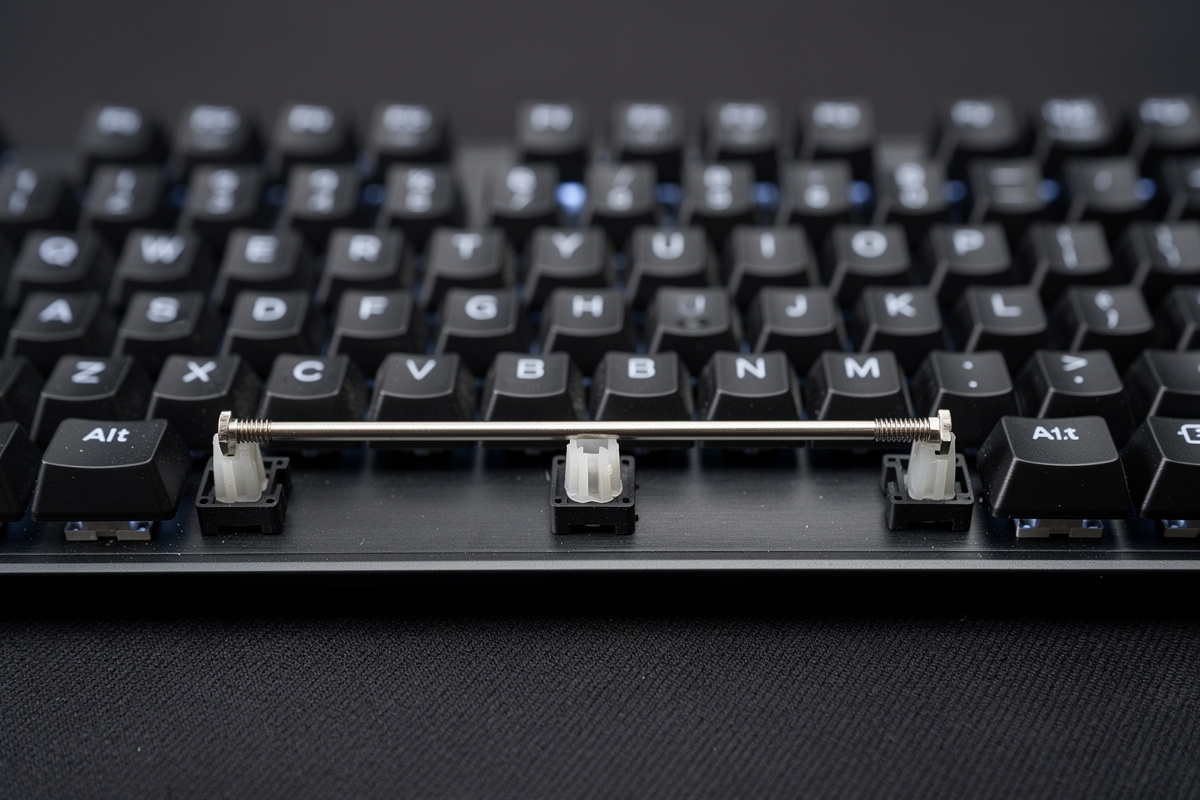
It’s physics, not bad luck. The spacebar uses the widest stabilizer — typically a 6.25u or 7u wire on a standard layout — which means the bare horizontal span of metal wire between the two stems is the longest on the board. A long unsupported wire resonates more freely, so the metallic ping and ring after a press are more pronounced. On top of that, you hit the spacebar with your thumbs, which bottom out harder and faster than your fingers do on other keys, so the wire tick and the bottom-out slap are both amplified. And because it’s a single long key spanning two widely spaced stems, any unevenness — one stem seated deeper than the other, a slightly bent wire — shows up as a tick on every press. The spacebar concentrates every stabilizer noise source into one key.
Diagnose the spacebar specifically
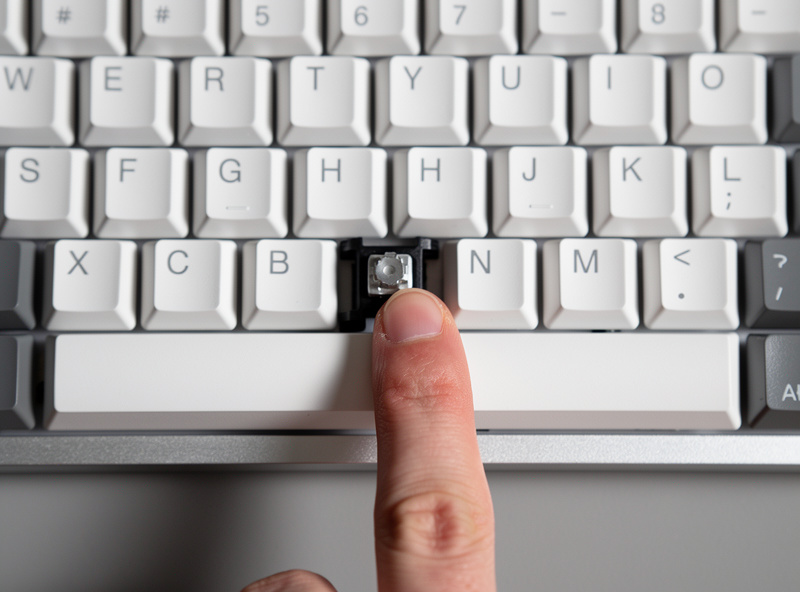
Pop the spacebar off and test before you grease anything:
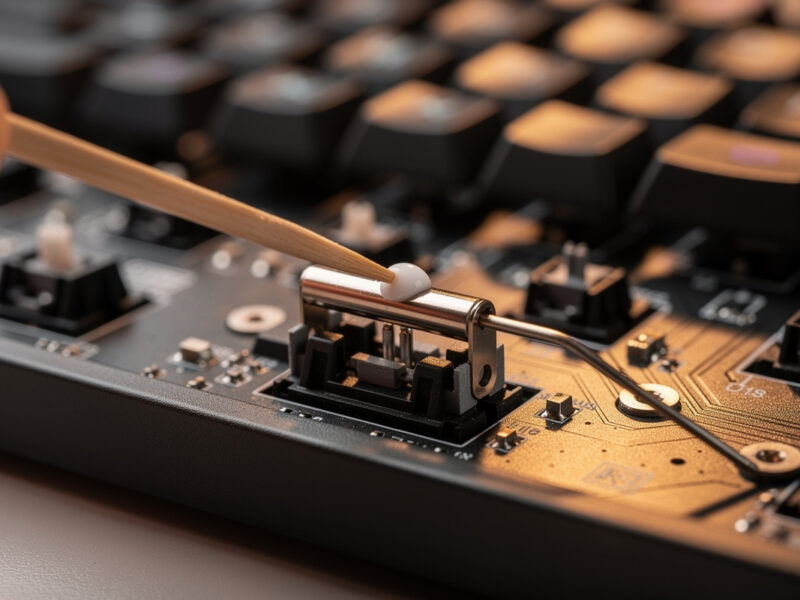
- Tick on a fast press = wire-end tick. The big one on long wires. Fix: thick grease on both wire ends.
- A ringing tail after the press = the long wire resonating. Fix: more wire grease; the long span makes this worse than on shorter keys.
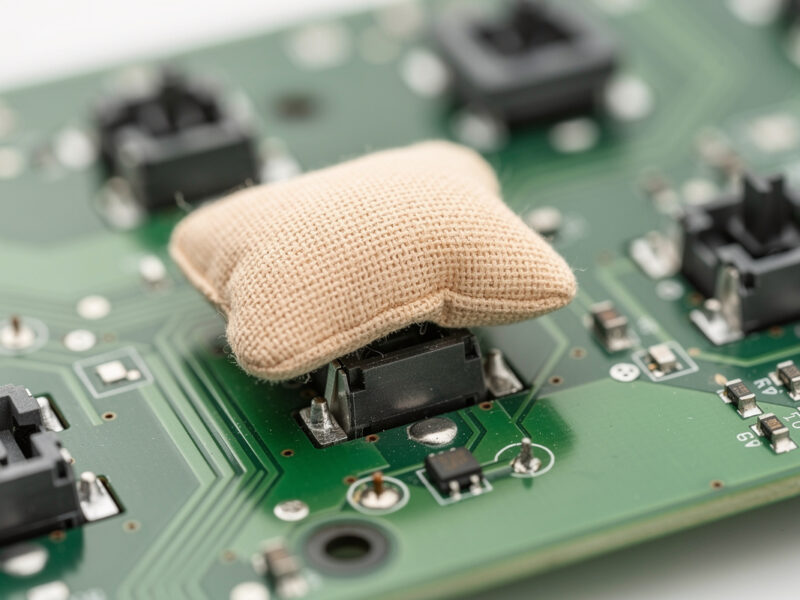
- A hollow slap at the bottom = the stem feet hitting bare PCB. Fix: the band-aid mod under the spacebar stems.
- Rattle only with the bar on, gone on the bare stems = the spacebar keycap is loose on the stems. Fix: a tighter cap or a dab of grease on the cap’s stab mounts.
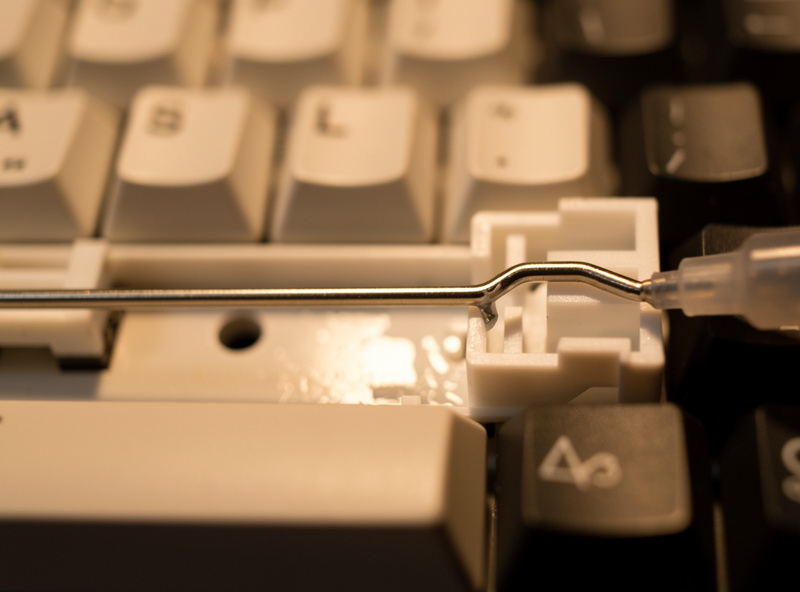
The spacebar fix, step by step
| Noise | Cause | Fix |
|---|---|---|
| Tick (fast press) | Wire end on bare plastic | Thick grease on both wire ends |
| Ring / ping tail | Long wire resonating | More wire grease; even seating |
| Hollow slap | Stem feet on bare PCB | Band-aid mod under the stems |
| Cap rattle | Loose keycap on stems | Tighter cap or grease the mounts |
| Side-to-side tick | Uneven wire seating | Reseat both ends to equal depth |
Work through it in order: grease both wire ends (the single biggest win on a spacebar because the long wire is the loudest), lube the housings, then check seating, then band-aid the feet only if a slap remains. The spacebar’s two stems are widely spaced, so take extra care that both wire ends seat to the same depth — uneven seating is the most common cause of a spacebar that ticks on one side.
- Thick dielectric grease for the wire
- Krytox 205g0 for the housings
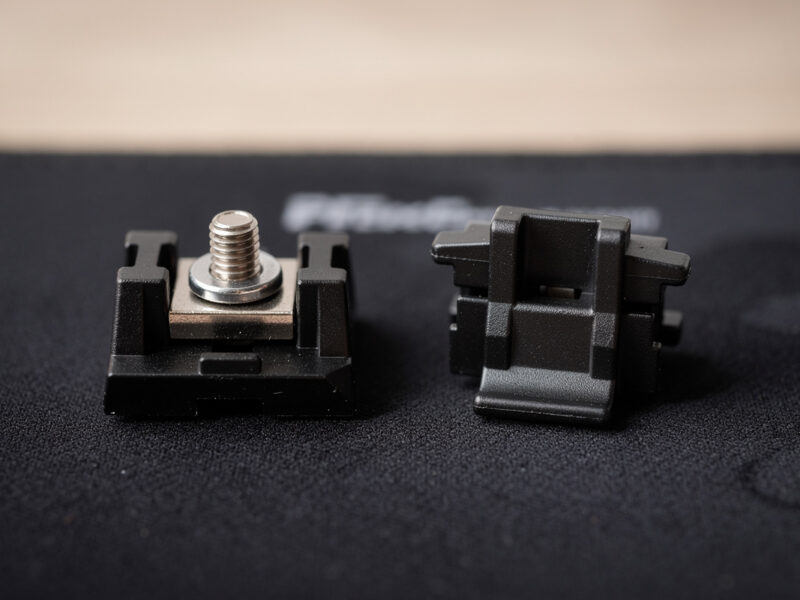
- Replacement spacebar stabilizer set
The seating detail that fixes most spacebar ticks
If I had to name the one thing that separates a quiet spacebar from a ticky one after greasing, it’s even wire seating. Because the spacebar wire is so long and the stems so far apart, seating one end a fraction deeper than the other tilts the wire, and the high side ticks against its channel on every press. When you reinstall the wire, seat both ends fully and check that the bar sits perfectly level with no rock from corner to corner. Press each corner of the spacebar and confirm it goes down evenly. This single check resolves more “I greased it and it still ticks” spacebar complaints than any other step. The grease does the cushioning; the seating decides whether the cushioning is even.
If your spacebar still rattles
Two escalations. First, if a hollow slap remains after greasing, the stem feet are hitting bare PCB — apply the band-aid mod under the spacebar stems (assuming your board lacks PCB foam there). Second, if the tick persists despite clean greasing and even seating, the wire grease may not be cushioning enough on that long span — consider the Holee mod on the spacebar stems specifically, since the spacebar is exactly the stubborn-wire case where it still earns its keep. And if the stabilizer itself is worn or low quality, replacing just the spacebar stabilizer is cheap; the screw-in vs plate-mount comparison covers what to buy.
The keycap factor people miss
Sometimes the spacebar rattles and the stabilizer is perfect — the culprit is the keycap. A spacebar keycap that fits loosely on the stabilizer stems will wobble and tick no matter how well you tuned the stab. Test by pressing the bare stems: if they’re silent but the noise returns with the cap on, it’s the cap. A small dab of grease on the keycap’s stabilizer mount points, or a different spacebar cap with a tighter fit, solves it. This is worth checking before you re-open the stabilizer for a third time chasing a noise that was never in the stab.
What a fixed spacebar sounds like
A properly tuned spacebar should sound like a slightly deeper, fuller version of the surrounding keys — no metallic tick, no ringing tail, no hollow slap, just a clean thock that’s a touch lower-pitched because of the larger keycap. On my recordings the difference between a stock and a tuned spacebar is the single most dramatic before-and-after on the whole board. It’s the key that convinces people stabilizer tuning is worth learning, because it’s the one they hear most. Get the spacebar right and the whole board feels finished.
Frequently asked questions
Why does my spacebar rattle so much more than other keys?
The spacebar uses the widest stabilizer with the longest bare wire span, which resonates more freely, and your thumbs bottom it out harder than your fingers hit other keys. It concentrates wire tick, wire ring, and bottom-out slap into one key, so it rattles the most and benefits the most from tuning.
How do I fix a rattling spacebar?
Pop the spacebar off, grease both stabilizer wire ends with thick dielectric grease, lube the housings with a thin coat of 205g0, and reseat the wire so both ends sit at equal depth. If a hollow slap remains, add the band-aid mod under the stems. Greasing the wire is the single biggest win on a spacebar.
Why does my spacebar still rattle after lubing it?
Usually uneven wire seating. Because the spacebar wire is so long, seating one end deeper than the other tilts it and causes a tick on every press. Reseat both ends to equal depth and confirm the bar sits level. The other common cause is a loose keycap wobbling on the stems.
Can a loose keycap cause spacebar rattle?
Yes. A spacebar cap that fits loosely on the stabilizer stems wobbles and ticks even when the stabilizer is perfectly tuned. Test by pressing the bare stems; if they are silent but the noise returns with the cap on, the cap is the problem. A tighter cap or a dab of grease on its stab mounts fixes it.